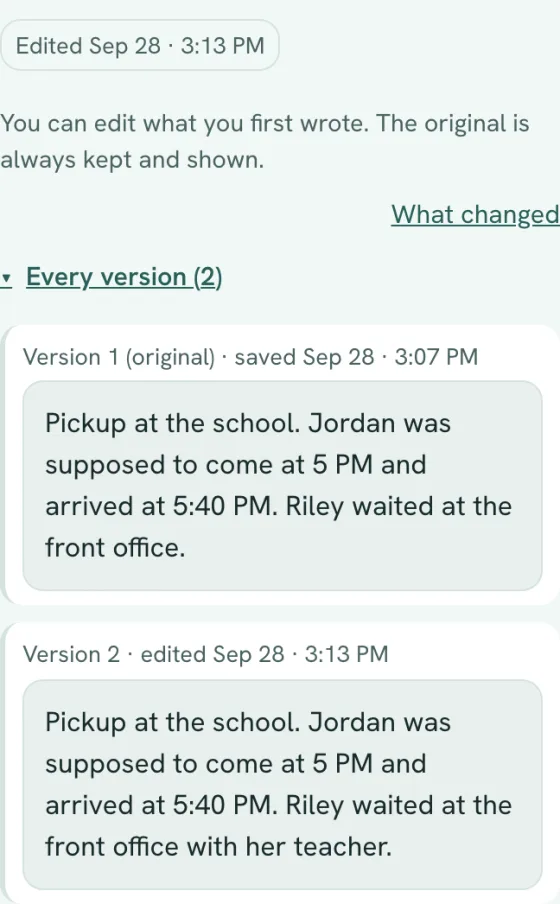
Edit later, with every version kept
Fix a detail or reword what you wrote. The entry is marked Edited with the date, and the original and every version stay in the record, under Every version.
For co-parents who need a clear record
Write it down in your own words while it's fresh. CoParentNotes keeps a private, dated record of pickups, drop-offs, messages and missed plans, and turns it into one clean PDF when you need to share it with your lawyer.
25 entries free. No credit card. Works in your phone's browser.


Write it down
A sentence or two is plenty. The app reads what you wrote and suggests the date, time, people and category. An optional AI helper can add suggestions, but only if you turn it on. It is off until you say yes.
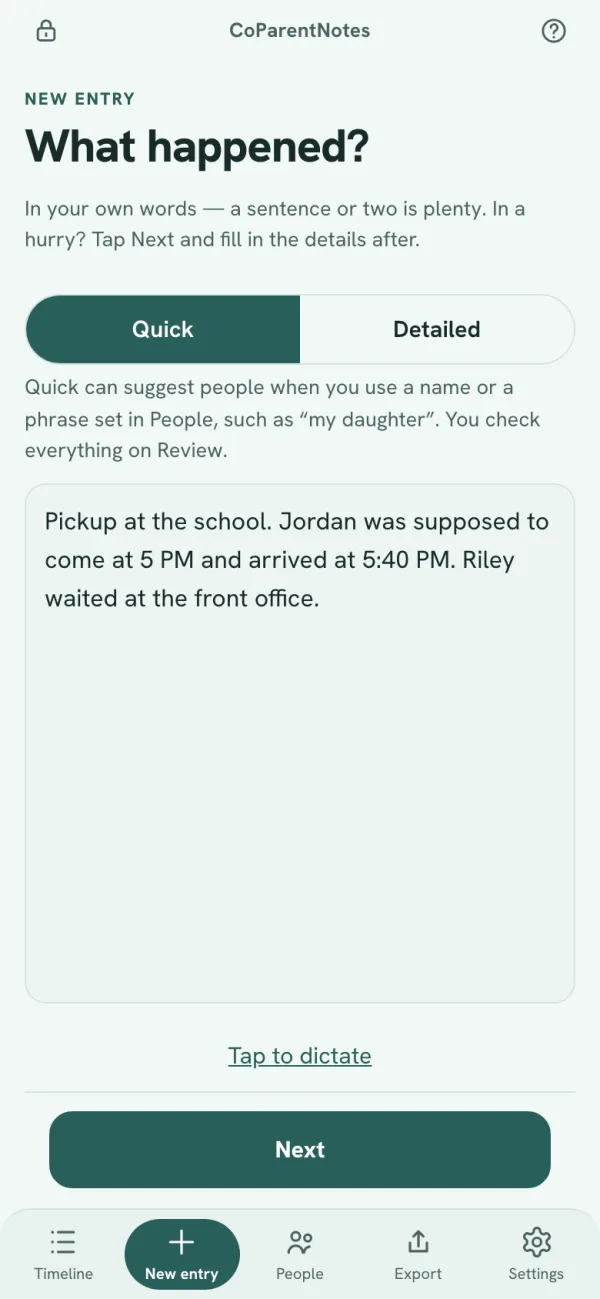
1Write it your way
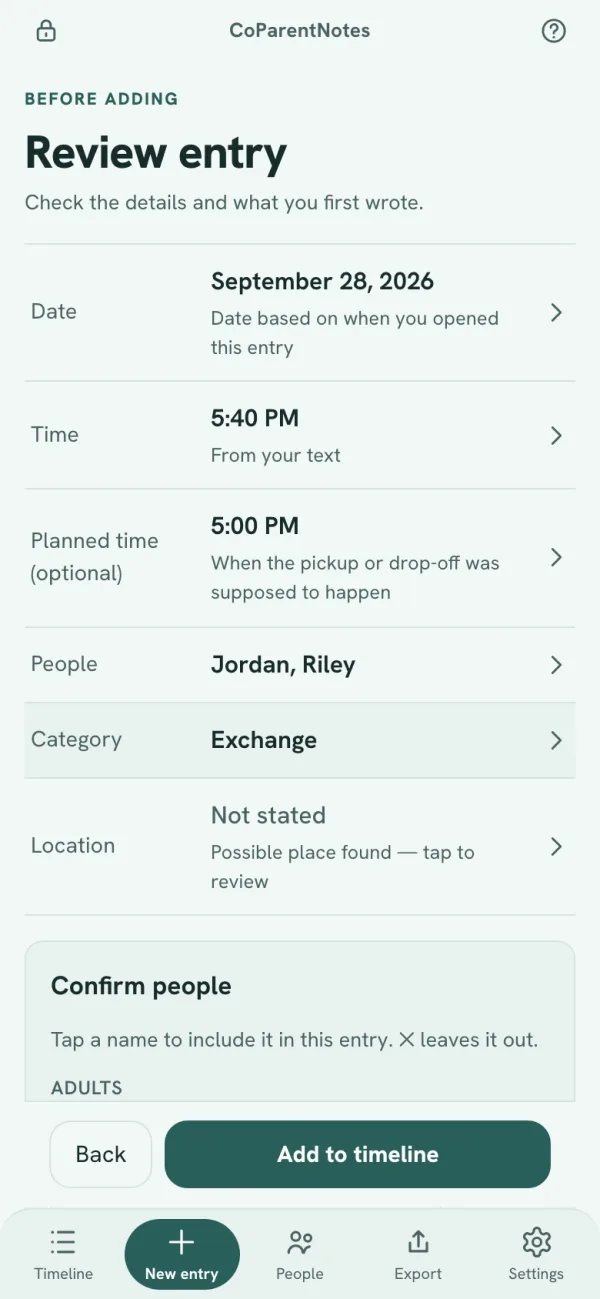
2Check it, then add it
Pickups and drop-offs
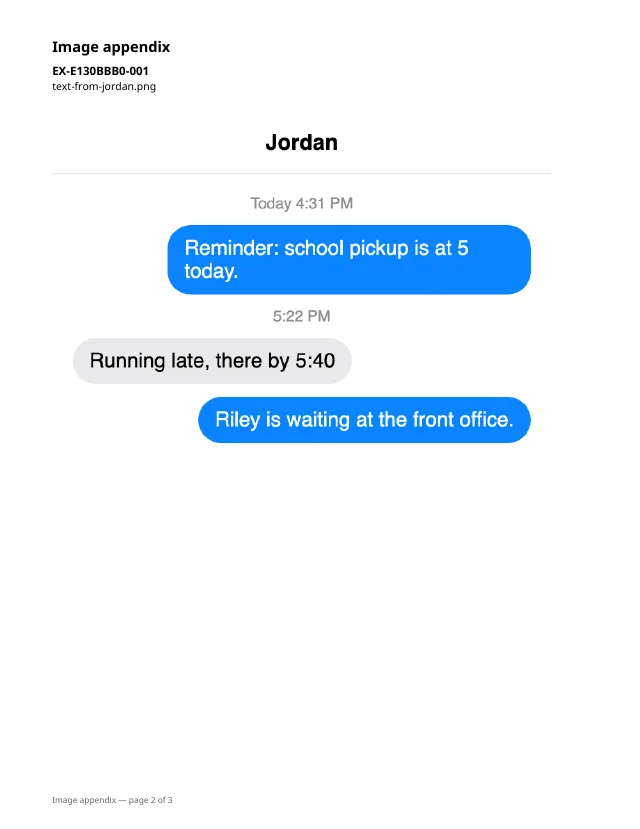
For an exchange, add the planned time next to the time it actually happened. The two sit side by side on your timeline and in your PDF.
Planned
5:00 PM
Happened
5:40 PM
On your timeline Exchange · Jordan, Riley · Planned 5:00 PM · Happened 5:40 PM
Attachments and export
Attach photos, screenshots, or PDFs to any entry. Photos are re-saved before upload, which strips hidden details such as the location they were taken.
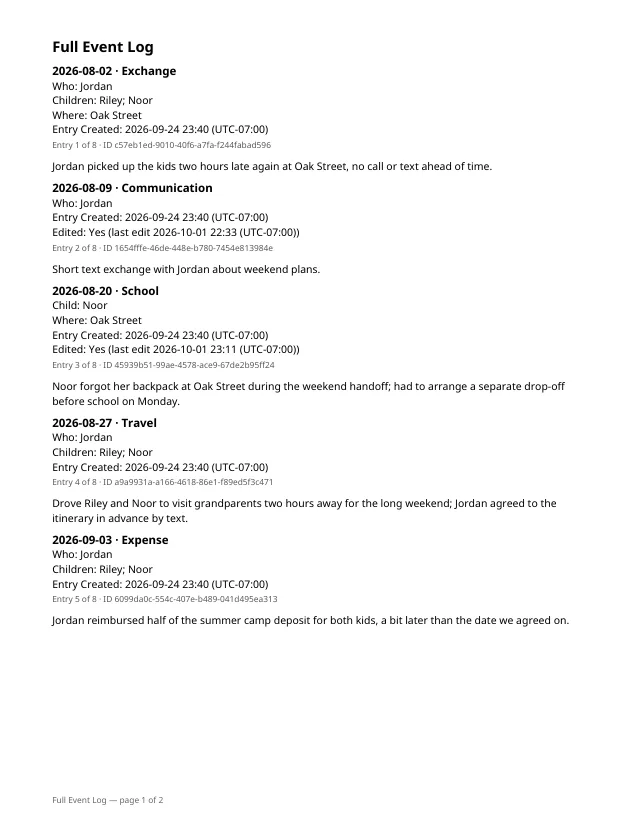
Choose what goes in: everything, a date range, or a short summary. Archived entries stay out unless you include them. A full export has a short chronology, the full log of entries, an index of attachments, and the images; a summary has the chronology only.
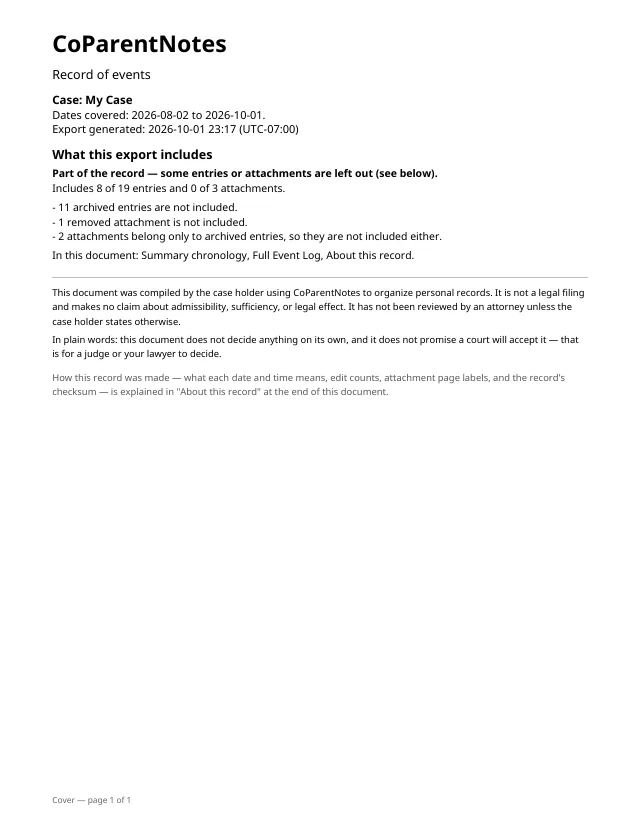
Patterns
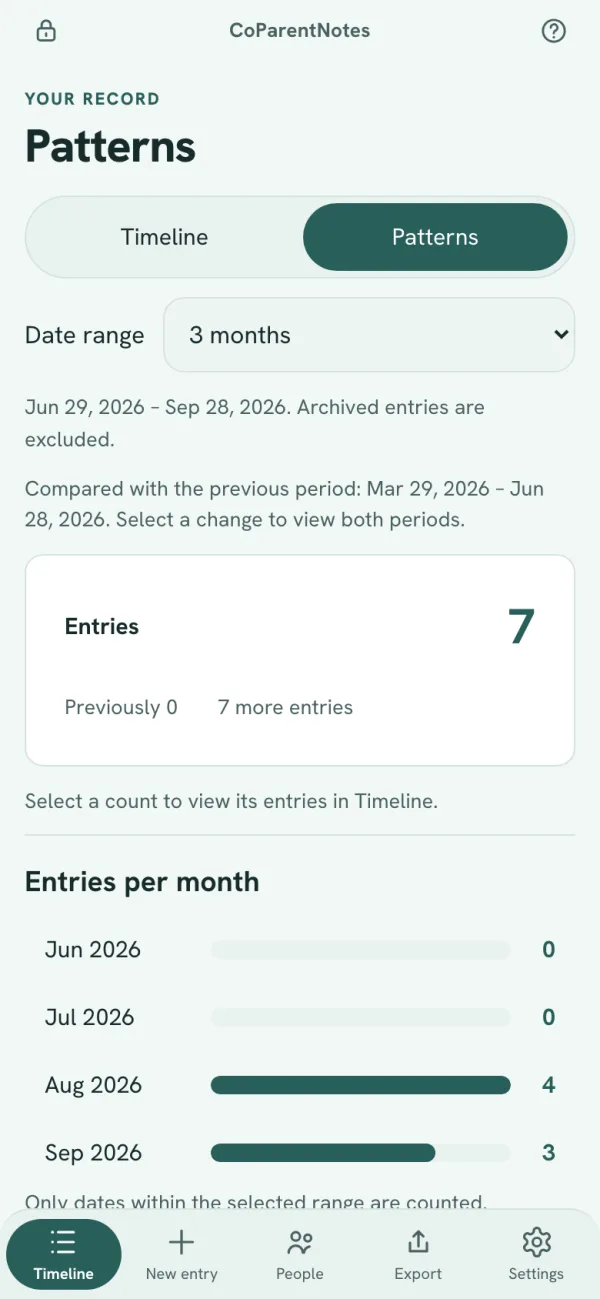
Patterns shows how many entries you made each month, and counts them by category, person and child next to the same counts for the period before. Tap any count to open the entries behind it.
After you save
Fix a detail or reword what you wrote. The entry is marked Edited with the date, and the original and every version stay in the record, under Every version.
On the web, tap the lock at the top of the screen and the app signs you out on that device. It also does this after a few minutes without use. You choose how long. The iPhone app, when it comes, will unlock with Face ID or your passcode.
It never sends messages to your co-parent, and you decide when to share the PDF. Our privacy policy lists the services that handle your data to run the app.
Privacy
Your record is encrypted in transit and at rest. It is never sold. It is shared only with the services that run the app (such as hosting, payments, and email), or when the law requires it. Smart suggestions are off until you say yes. The details are in our privacy policy.
Pricing
$0
25 entries, no time limit
$7.99/month
or $69.99/year, billed once a year (about $5.83 a month)
There are no other tiers. If you cancel, your records stay readable and exportable; you just can't add entries past the free 25 without an active subscription.
Questions
No. CoParentNotes is not a law firm, no attorney reviews what you write, and it doesn't tell you what will happen in your case or promise any particular result. Read the full details in our Terms.
No. CoParentNotes doesn't send messages to your co-parent or anyone else. It's a private record you keep yourself.
Yes. Open an entry to attach photos, screenshots, or PDFs. Removing an attachment hides it; its file and history are kept. Exports include an exhibit index and image appendix when selected. PDF attachments are listed in the index; their pages are not included.
An iPhone app is coming; it isn't available yet. Today, CoParentNotes is a web app that works in your phone's browser and on a computer, with nothing to install.
Your record is stored on our servers, hosted with Supabase, encrypted in transit and at rest, and walled off from other accounts. Because it lives on our servers rather than only on your device, we can technically access it, for example to run the service or to respond to valid legal process. It is never sold, and it is shared only with the services that run the app (Supabase, Vercel, Resend, Stripe, and Forward Email for support mail) or when the law requires it. Anthropic gets your entry text only if you turn on smart suggestions. Our legal requests policy explains how we handle subpoenas and similar demands, and our privacy policy and data practices pages cover the rest.
Yes. Edited entries are marked Edited with the date, and the original and every version stay in the record. Your whole case record also carries one running checksum, and the current value is printed in your PDF. That checksum can't guard against changes made by us, the operator, since we run the database it lives in.
The next time something happens, you'll have somewhere to put it.
25 entries free. Then $7.99/month or $69.99/year.